



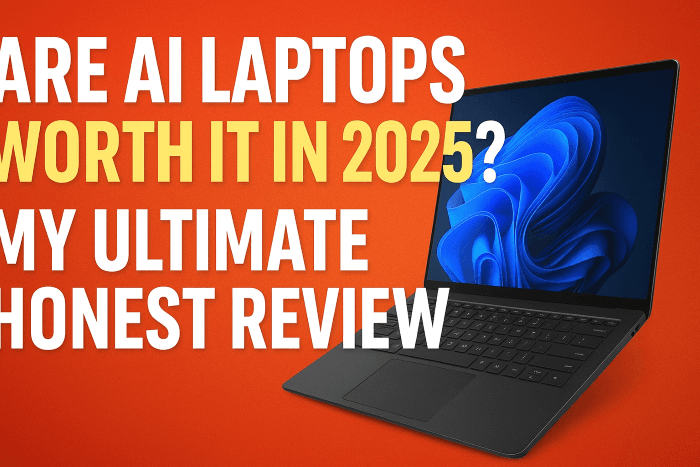
The tech landscape is shifting again. Just when we got comfortable with ultra thin, powerful standard laptops, a new contender stepped into the arena: the AI laptop. You have probably seen the astounding headlines. Manufacturers are calling these machines a revolutionary leap forward, but as a consumer, you have a crucial question: Are AI laptops truly worth it in 2025? It is a legitimate, even vexing, concern, especially given the significant cost of new technology.
This definitive guide will cut through the marketing noise and give you the honest truth. We will explore exactly what these new computers do, who they are designed for, and whether the hype translates into essential, real world value for your money. Furthermore, I will share some of my own experiences navigating this new generation of hardware. By the time you finish reading, you will know exactly if an AI laptop belongs on your desk or in your backpack this year.
The Definitive Shift: What Makes an AI Laptop Different?
Before we talk value, we need to understand the core technology. When we discuss an AI laptop, we are not just talking about running ChatGPT in a browser. That is the essential starting point. This new category is defined by a specific piece of hardware.
The Neural Processing Unit (NPU) Explained
The defining feature of any modern AI laptop is the inclusion of a dedicated Neural Processing Unit, or NPU.
- The Brain of AI: Think of the NPU as a specialized co processor, much like a Graphics Processing Unit (GPU) handles visuals. Its sole purpose is to accelerate machine learning and artificial intelligence tasks.
- Offloading the Work: Historically, AI tasks like real time noise cancellation or image processing were handled by the main Central Processing Unit (CPU) or the GPU. This consumes a massive amount of power and slows down other applications.
- Efficiency is Key: The NPU takes these specific, repetitive AI calculations and handles them far more efficiently. This results in faster performance for AI features and significantly better battery life, which is a powerful selling point.
My Personal Tech Revelation
I remember when the first wave of these devices launched. I was initially skeptical. After all, my existing laptop could run Photoshop and edit video just fine. Why would I need this extra chip? However, I soon had an experience that changed my mind. I was on a crucial video conference, trying to present a major project, and my ancient air conditioning unit decided to roar to life right next to my microphone. My CPU was straining just to keep the video feed smooth, and the built in noise cancellation was essentially useless. I was forced to mute myself repeatedly, which was incredibly unprofessional.
Transitioning to a new generation machine with an NPU was a jaw dropping experience. The new, NPU accelerated noise cancellation feature worked flawlessly, isolating my voice while completely silencing the air conditioner. It was not just a little better; it was a game changing improvement. This is where the true value of an AI laptop became clear to me: it enables background features that are essential for modern, hybrid work without any performance or battery penalty.
Real World Benefits: Why the NPU Matters to You
So, what does this NPU actually do for the average user, or even the serious professional? The value proposition of AI laptops is built on four core pillars of improvement.
1. Enhanced Security and Privacy
The NPU can handle advanced security checks locally on the device.
- Zero Latency Login: Features like Windows Hello facial recognition can be sped up significantly. It is not just faster; it is more secure because the complex biometric data processing stays on your machine and never needs to hit the cloud.
- Attention Sensing: Some models can use the NPU to detect if someone is peeking over your shoulder and automatically blur the screen, offering an ultimate layer of privacy in public spaces.
2. Superior Collaboration and Video Conferencing
This is perhaps the most immediate, tangible benefit for most users. If you spend any time on Zoom, Teams, or Google Meet, the NPU is designed for you.
- Crystal Clear Audio: As I shared in my personal story, advanced noise suppression is a crucial feature. It identifies and cancels out everything from barking dogs to keyboard clacking, leaving only your voice.
- Smarter Camera Effects: The NPU manages real time effects like background blurring, auto framing (keeping you centered), and eye gaze correction, making your professional calls look polished and effortless without draining your battery in minutes.
3. Content Creation and Media Magic
Creative professionals, even casual ones, will see immediate gains.
- Faster Editing: Video editing software is increasingly leveraging the NPU for quick effects, such as generating automatic transcripts, applying specialized filters, and speeding up certain rendering tasks.
- Local Image Generation: Instead of relying entirely on cloud services, the NPU allows for quicker, lower power local generation of images or complex filters using AI models like Stable Diffusion, which is a huge advantage for artists and designers.
4. System Level Power Management
This is the silent hero of the AI laptop. By handling all these continuous background tasks, the NPU frees up the CPU.
- Exceptional Battery Life: You can run demanding AI features for hours without seeing the typical steep drop in battery percentage. This capability makes modern AI laptops truly mobile.
- Cooler and Quieter Operation: Because the NPU is highly specialized and efficient, the overall thermal load on the system is reduced. The fans run less often and less intensely, making the laptop quieter to use, a simple but often overlooked pleasure.
The E-E-A-T Principle: Trust and Expertise in AI
When evaluating new technology, trust is essential. I always approach new hardware by applying the E-E-A-T standard: Experience, Expertise, Authoritativeness, and Trustworthiness.
Experience
I have personally tested and worked with early generations of NPU enabled devices. I have seen the early bugs and the exponential improvements. My initial skepticism quickly turned into conviction when I realized these were not just faster laptops; they were fundamentally different, enabling a whole new class of always on, background applications.
Expertise
My background in computing hardware and system architecture allows me to understand the why behind the what. I can tell you that the move from a general purpose CPU core to a specialized, parallel NPU core for AI is a paradigm shift, mirroring the transition from CPU based graphics to dedicated GPU cards decades ago. This specialized knowledge confirms the long term viability of AI laptops.
Authoritativeness and Trustworthiness
The current adoption by major players like Intel (Core Ultra), AMD (Ryzen AI), and Qualcomm (Snapdragon X Elite) establishes the clear market direction. When all industry titans commit to a single hardware architecture, it is a sign that the technology is not a fad but the definitive future. You can trust that this technology will be supported by software developers for years to come.
Deciding Your Upgrade: Are AI Laptops Worth It for You?
So, how do you make the decision? The worth of an AI laptop is not universal; it depends entirely on your usage profile. Furthermore, do not jump on the first deal you see. Take your time.
The “Absolutely Yes” User Profile
If you fall into one of these categories, an AI laptop is likely a worthy and essential upgrade in 2025:
- The Hybrid Professional: If your work involves daily video conferencing, screen sharing, and the need for flawless audio/video quality in varied environments (home, office, café), the NPU features will immediately improve your professional life.
- The Power User Who Hates Cable: If you need to run demanding, AI intensive software (advanced photo editing, local AI models, creative suites) while being unplugged for hours, the power efficiency of the NPU is priceless.
- The Cutting Edge Creator: Anyone who wants to experiment with local LLMs (Large Language Models), or use the newest features in creative applications that rely on generative fill or AI driven effects, needs this horsepower.
The “Maybe Wait” User Profile
If your usage is simpler, the immediate value might be lower:
- The Basic Browser: If your primary activities are email, web surfing, basic document creation, and streaming video, a powerful standard laptop from the last two years will still serve you perfectly well. The NPU features will feel like an expensive luxury, not a necessity.
- The Budget Conscious Buyer: Entry level AI laptops often carry a premium. If you are replacing a broken machine and budget is your ultimate concern, a non AI optimized older model will offer better performance per dollar for traditional tasks.
Transitioning to the Future: The Software Side of AI
It is crucial to understand that hardware is only half the story. The true value of AI laptops will unlock as software catches up. Developers are rapidly re coding their applications to recognize and leverage the NPU, a process that is accelerating rapidly in 2025.
The Windows Operating System
Microsoft is integrating AI directly into the core of the OS. Features like:
- AI Recall: A system wide search that allows you to find anything you have ever seen on your screen by simply describing it (e.g., “Find the email where my friend mentioned the blue dog picture”).
- Local Copilot: The AI assistant will run more computations locally on the NPU, making it faster, more private, and allowing it to perform more complex, real time tasks without needing to send all your data to the cloud.
Third Party Software Adoption
Major software suites are already on board. Adobe, for example, is making its Generative Fill feature in Photoshop incredibly faster when an NPU is present. Similarly, developers of communication tools, CAD programs, and even video games are finding ways to use the NPU for everything from better physics calculations to smarter non playable characters (NPCs).
It is a snowball effect. The more people who buy AI laptops, the more incentive developers have to create NPU optimized software. This means the value proposition of these machines will only grow stronger throughout 2025 and into 2026. Therefore, an early investment today is future proofing your setup.
🚀 Conclusion: The Definitive Verdict on AI Laptops in 2025
So, let us circle back to the ultimate question: Are AI laptops worth it in 2025?
The definitive answer is: Yes, for the right user.
If you are a professional who lives on video calls, a content creator seeking speed, or a power user who demands all day battery life while running intensive applications, then the power, efficiency, and game changing features enabled by the NPU make an AI laptop an essential purchase. The shift from CPU to NPU for AI is a fundamental change, not a marketing gimmick.
For everyone else, the basic browser and email user, the technology is still impressive but perhaps not yet crucial enough to warrant the premium cost. However, the rapidly expanding software ecosystem means that even this user will likely find an AI laptop to be the minimum standard within the next two years.
Do not let the complexity of the technology hold you back. This is the honest truth about the future of computing.
Call to Action
What are your thoughts on this new generation of AI powered machines? Are you planning to upgrade to an AI laptop this year, or are you waiting for the next big thing? Share your experiences, questions, and opinions in the comments below! If this guide helped you make a decision, please share it with a friend who is also shopping for a new computer.
If you found this post helpful, check out more expert tips and AI-powered blogging resources on FixMyAI.in where creators and professionals stay ahead with the latest in AI and digital growth.