





Author: Pradeep Singh Gusain
Category: Database Administration | SQL Optimization | Maintenance SOP
Introduction
Over time, your SQL Server’s MSDB database can grow significantly due to the accumulation of mail logs in the sysmail_mailitems table. This not only consumes storage but can also impact SQL Server performance.
This Standard Operating Procedure (SOP) outlines a safe, repeatable process for MSDB Mail Cleanup and Space Management, helping database administrators (DBAs) reclaim disk space and maintain system performance efficiently.
Objective
The purpose of this SOP is to:
- Delete old mail logs from
msdb.dbo.sysmail_mailitems. - Shrink the MSDB database file after cleanup.
- Confirm space recovery in Disk Management.
- Avoid blocking and transaction log issues during cleanup.
Pre-Requisites
Before starting, ensure:
- DBA-level access to SQL Server instance.
- Recent full backup of the MSDB database.
- Tools or scripts to monitor:
- Blocking sessions
- Transaction log usage
- Access to Disk Management Console for validation.
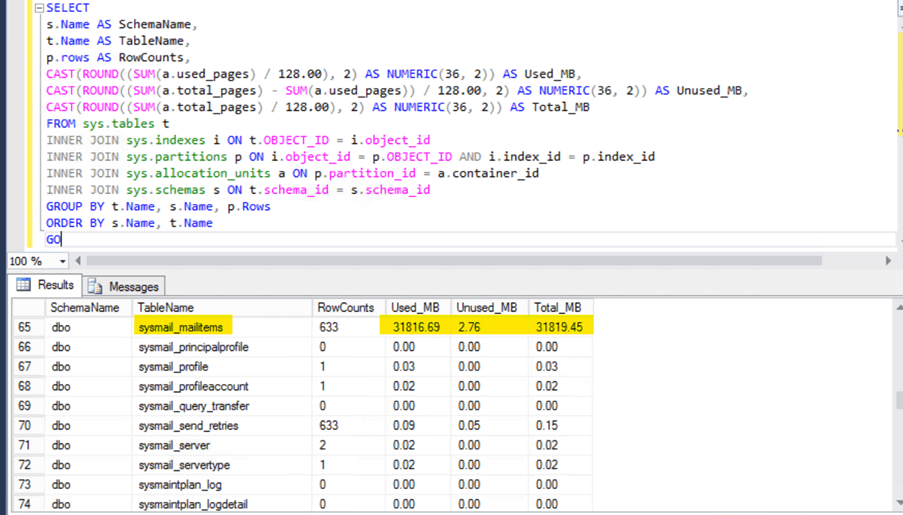
Step 1: Identify Which Tables Consume More Space
Run this query to check which table consumes the most space in MSDB:
SELECT
s.Name AS SchemaName,
t.Name AS TableName,
p.rows AS RowCounts,
CAST(ROUND((SUM(a.used_pages) / 128.00), 2) AS NUMERIC(36, 2)) AS Used_MB,
CAST(ROUND((SUM(a.total_pages) - SUM(a.used_pages)) / 128.00, 2) AS NUMERIC(36, 2)) AS Unused_MB,
CAST(ROUND((SUM(a.total_pages) / 128.00), 2) AS NUMERIC(36, 2)) AS Total_MB
FROM sys.tables t
INNER JOIN sys.indexes i ON t.OBJECT_ID = i.object_id
INNER JOIN sys.partitions p ON i.object_id = p.OBJECT_ID AND i.index_id = p.index_id
INNER JOIN sys.allocation_units a ON p.partition_id = a.container_id
INNER JOIN sys.schemas s ON t.schema_id = s.schema_id
GROUP BY t.Name, s.Name, p.Rows
ORDER BY s.Name, t.Name
You’ll typically find sysmail_mailitems as the top space consumer.
Step 2: Delete Old Mail Data
First, check how many mail records exist in a given date range:
SELECT COUNT(*)
FROM [dbo].[sysmail_mailitems]
WHERE send_request_date
BETWEEN '2025-02-01 00:00:00.000' AND '2025-02-05 23:59:00.000';
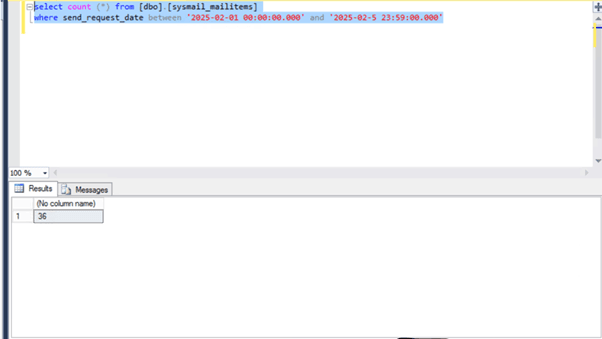
Once confirmed, delete old records safely:
DELETE FROM [dbo].[sysmail_mailitems]
WHERE send_request_date
BETWEEN '2025-02-01 00:00:00.000' AND '2025-02-05 23:59:00.000';
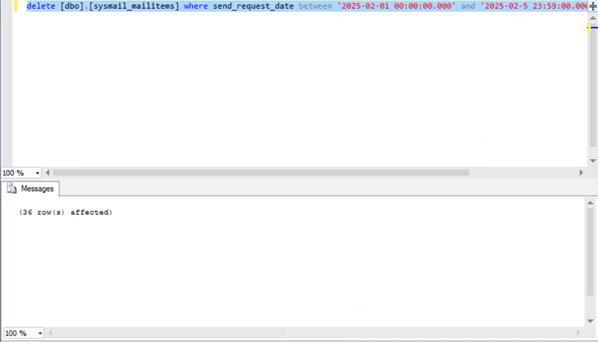
💡 Tip: Always delete in small batches (e.g., a few days at a time) to prevent transaction log overflow.
Step 3: Monitor Blocking and Transaction Log Space
Use the following commands to monitor during deletion:
Check for Blocking:
EXEC sp_who2;
Check Log Space Usage:
DBCC SQLPERF(LOGSPACE);
If blocking or log growth occurs, stop the query and rerun during off-peak hours.
Step 4: Shrink the MSDB Data File
Once deletion is complete, shrink the MSDB database:
DBCC SHRINKDATABASE (MSDB);
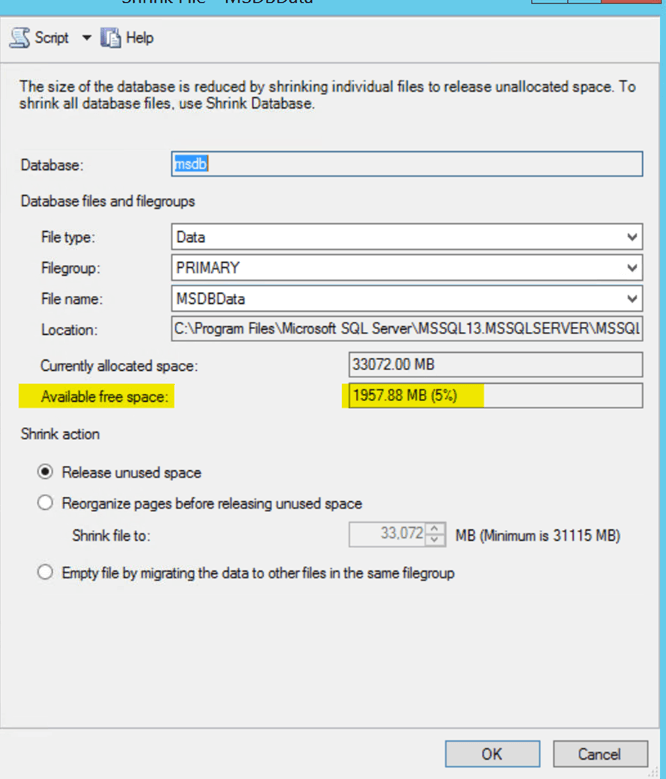
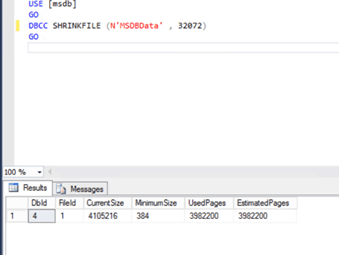
Validate the reclaimed space in Disk Management.
Be cautious , shrinking too frequently can cause fragmentation, so perform this step only after major cleanups.
Step 5: Post-Cleanup Validation
After cleanup:
- Ensure MSDB is accessible and running smoothly.
- Verify no blocking or log issues remain.
- Check SQL Server logs for warnings.
- Confirm space is visible at file and disk levels.
Optional: Schedule the Cleanup Job
To automate future maintenance:
- Create a SQL Server Agent Job for mail cleanup.
- Add log and blocking monitoring.
- Set up email alerts upon job completion.
Automation ensures consistent maintenance and prevents MSDB bloat from recurring.
Appendix
Maintain audit data for transparency:
- Mail count and date range before deletion
- Blocking and log space before and after cleanup
- Mail count post-deletion
- Disk usage before/after shrink
Conclusion
Performing regular MSDB mail cleanup and space management is essential for stable SQL Server performance.
By following this SOP, DBAs can:
- Reclaim valuable disk space
- Avoid transaction log growth issues
- Maintain a high-performing, optimized SQL environment
With automation and proactive monitoring, you’ll ensure long-term SQL Server health and efficiency.