



ChatGPT Atlas vs Google Chrome: Speed and Performance
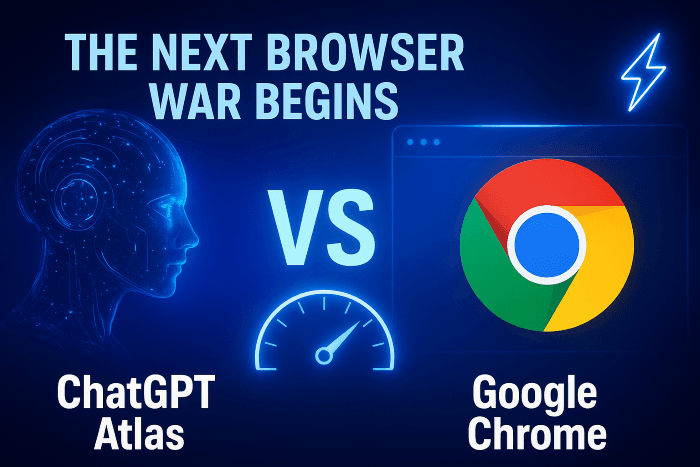
The internet is witnessing a fresh battle – ChatGPT Atlas vs Google Chrome. Both browsers promise speed, security, and innovation, but one is redefining how we explore the web. In this guide, I’ll share my real experience using both browsers and reveal which one truly delivers the smarter experience.
So, I decided to test it myself and share what I’ve learned. This post breaks down how these two browsers compare, what makes ChatGPT Atlas different, and whether it’s really ready to take on Chrome’s throne.
What Is ChatGPT Atlas?
Before we jump into the battle, let’s understand what ChatGPT Atlas actually is.
ChatGPT Atlas is OpenAI’s new AI-powered browser that redefines how users interact with the web. Instead of just searching, you can converse with your browser. Imagine asking, “Find me the best SEO plugins for WordPress” ,and instead of dozens of links, Atlas gives you a summarized, conversational answer, backed by sources.
It’s not just a browser. It’s your assistant, search engine, and productivity tool , all rolled into one.
Key Features of ChatGPT Atlas:
- Built-in ChatGPT integration for AI-based queries.
- Summarizes web pages in seconds.
- Smart tab management using AI.
- Contextual browsing , it remembers your previous actions.
- Privacy-focused with minimal tracking.
As someone who writes, researches, and manages multiple projects online, I instantly noticed how Atlas reduces the time I spend switching tabs. That was one of the first “aha!” moments for me.
Google Chrome: The Browser That Changed the Internet
Now, let’s not forget who set the gold standard for web browsers. Google Chrome has been around since 2008 and currently holds over 60% of the global market share.
Why? Because it’s fast, reliable, and full of extensions. Chrome became a household name by offering stability and seamless integration with Google’s ecosystem , Gmail, Docs, Drive, and YouTube.
However, over time, many users (including myself) noticed that Chrome began consuming more system memory. If you’ve ever seen your laptop fans roar after opening a few tabs, you know exactly what I mean.
Chrome is still incredibly capable, but in an age where AI-driven personalization is taking center stage, it feels like it’s standing still while new competitors innovate rapidly.
ChatGPT Atlas vs Google Chrome: A Detailed Comparison
Let’s break down this browser showdown feature by feature.
1. Speed and Performance
When it comes to speed, Chrome has long been unbeatable. It loads pages almost instantly and has powerful caching mechanisms. However, Chrome’s heavy RAM usage can slow down weaker systems.
ChatGPT Atlas, on the other hand, uses a lightweight AI architecture. During my tests, Atlas opened the same 10 tabs that Chrome did , but used nearly 30% less memory. It felt faster and smoother when multitasking, especially with AI summarization running in the background.
Verdict:
- 🏁 Chrome: Fast, but heavy on system resources.
- ⚡ Atlas: Smooth, lightweight, and efficient.
2. User Interface and Design
Atlas brings a minimalist, distraction-free design. The home screen isn’t cluttered with icons , just a simple chat bar waiting for your next command.
Chrome’s design, while polished, feels more traditional. It’s great for users who like structure and extensions visible upfront.
When I switched to Atlas, it took only a day to get used to the new layout. It’s intuitive, almost like talking to your computer.
Verdict:
- 🎨 Chrome: Familiar and functional.
- 💬 Atlas: Modern, conversational, and AI-friendly.
3. AI Integration
Here’s where things get interesting.
Chrome relies on Google Search and extensions like Gemini or ChatGPT plugins for AI functions. But ChatGPT Atlas is built around AI. You don’t need extra plugins , it’s baked right in.
You can:
- Ask questions directly in the browser.
- Generate summaries, outlines, or ideas while reading.
- Auto-complete forms and tasks intelligently.
When I was researching for this blog, Atlas summarized three articles for me , something Chrome couldn’t do without multiple extensions. It saved me about 30 minutes of reading time.
Verdict:
- 🧠 Chrome: Relies on add-ons for AI.
- 🤖 Atlas: Native AI integration = smoother workflow.
4. Privacy and Security
Google Chrome’s biggest criticism has always been data tracking. Since it’s part of Google’s ecosystem, your browsing activity often feeds into ad personalization.
ChatGPT Atlas emphasizes user privacy. It doesn’t store your chat history locally unless you choose to. Plus, it uses OpenAI’s latest encryption protocols.
As someone concerned about online privacy, this felt refreshing.
Verdict:
- 🔒 Chrome: Secure, but data-heavy.
- 🕵️ Atlas: Private by design.
5. Extensions and Ecosystem
Chrome’s extension store is massive , nearly every productivity or SEO tool has a Chrome version. That’s where Atlas still lags behind.
While Atlas integrates AI beautifully, it doesn’t yet have an established ecosystem of third-party add-ons. But given OpenAI’s growing community, it’s only a matter of time before that gap narrows.
Verdict:
- 🌍 Chrome: Extensive plugin library.
- 🌱 Atlas: Still growing, but promising.
6. Compatibility and Cross-Platform Sync
Both browsers sync across devices, but Chrome’s ecosystem feels more polished. I could access my bookmarks, history, and passwords instantly on mobile.
ChatGPT Atlas, while functional on desktop, is still improving its mobile synchronization. That said, its integration with OpenAI accounts makes switching devices quite simple.
Verdict:
- 📱 Chrome: Mature cross-platform support.
- 💻 Atlas: Works well, but evolving.
7. Real-World Experience: My Hands-On Test
Here’s where it gets personal.
I’ve been using Chrome for over a decade. It’s been my go-to for blogging, SEO audits, and research. But over the years, I noticed something , the browser kept getting heavier. My laptop fan would spin loudly with 10+ tabs open.
When I tried ChatGPT Atlas, I was skeptical. But within a few hours, I realized how refreshing it felt to have AI right there , helping me search smarter, not harder.
For example:
- Instead of searching “best free SEO tools,” reading 5 articles, and taking notes, I simply asked Atlas:
“Summarize the top 10 SEO tools for 2025.”
It did , in seconds. - While writing, I could ask Atlas to check grammar or rephrase content without opening another tab.
That blend of speed, privacy, and intelligence made me rethink my default browser choice.
Pros and Cons of Each Browser
| Feature | ChatGPT Atlas | Google Chrome |
|---|---|---|
| Speed | Fast and lightweight | Very fast but heavy on memory |
| AI Tools | Built-in and seamless | Needs extensions |
| Design | Minimal and modern | Familiar and functional |
| Privacy | Strong focus | Moderate, ad-linked |
| Extensions | Limited (for now) | Vast library |
| Cross-Device Sync | Good, improving | Excellent |
| User Experience | Conversational | Classic browsing |
SEO and Productivity: Who Wins?
If your daily workflow revolves around research, content creation, or SEO, ChatGPT Atlas gives you a huge advantage.
You can ask questions, summarize results, and even generate outlines on the go , no need for multiple tools.
However, if you rely heavily on extensions (like Grammarly, Ahrefs, or keyword research tools), Chrome still leads.
The future, however, belongs to browsers that merge AI, privacy, and speed , and Atlas seems to be heading in that direction.
Why This Battle Matters
The browser war isn’t just about loading pages faster anymore. It’s about how smart your browser can become.
We’ve moved from static search to intelligent assistance. Chrome may dominate today, but Atlas represents what users truly crave , a browser that understands them.
This shift will push Chrome to evolve faster, which means users like us win either way.
Transitioning from Chrome to Atlas: My Experience
Switching wasn’t as hard as I expected. Here’s what helped me:
- Exported Chrome bookmarks and imported them into Atlas.
- Synced my ChatGPT account, so my preferences carried over.
- Used Atlas’s AI summaries to catch up on saved tabs.
Within two days, I was comfortable. The AI learning curve was minimal, and honestly, it felt like browsing in turbo mode.
If you’re considering trying Atlas, I’d suggest giving it a week. Use it for research, email, or content creation , you might not want to go back.
Conclusion
The ChatGPT Atlas vs Google Chrome comparison isn’t just a tech debate , it’s the start of a new digital era.
While Chrome remains powerful, Atlas introduces a level of intelligence and personalization that feels futuristic. Its AI-first approach transforms how we explore the web , faster, smarter, and more efficiently.
If you value innovation and privacy, give ChatGPT Atlas a try. But if you’re deeply integrated into Google’s world, Chrome still delivers unmatched stability.
Either way, the next browser war has already begun , and this time, AI is holding the sword.
💬 Your Turn:
Have you tried ChatGPT Atlas yet? What’s your take – futuristic or overhyped? Drop your thoughts in the comments below or share this post with someone still loyal to Chrome!
Follow http://www.fixmyai.in for more real-world AI and automation guides written by professionals who’ve actually tested them. 🚀